 France
 HongKong
 Japan
Japan Kenya
Kenya New Zealand
 Singapore
 USA
USA Tanzania
 UK
UK Uganda
 Vietnam
 Antwerp
 Dubai
Dubai IBU GIFT CITY
 Indonesia


RuPay Select
- Card is accepted at all the Domestic and foreign merchants across the globe.
- Customer will get 24*7 Concierge Services.
- EMI at POS facility is available on POS that are managed/owned by M/S WorldLine Private Limited irrespective of Bank.
- Maximum amount of cash limit is 50% of the spending limit.
- Maximum amount of cash that can be withdrawn from – ATM – Rs. 15,000 per day.
- Billing cycle is from 16th of current month to 15th of next month.
- Payment is to be made on or before 5th of succeeding month which mostly suits the requirement of salaried class.
- Flexible credit limits for add-on cards.
RuPay Select
- Complimentary Annual Membership of Amazon Prime.
- 3- Month membership per annum of Swiggy One.
- Complimentary Domestic Lounge Access across India ( 2 per quarter ) and International Lounge Access ( 2 per calendar year ) subject to changes as per discretion of RuPay. For lounge list, refer https://rupay.co.in/lounges
- Discount voucher worth INR 200 per month on BigBasket
- INR 250 off on purchase of min 2 tickets per month from Book My Show.
- Annual membership of customized Health checkup packages which can be used once per annum.
- Insurance cover of up to 10 Lakhs ( Personal Accident and Permanent Disability) provided by RuPay. For more information, refer RuPay Insurance Program
- 2X Loyalty Reward points in POS and ECOM transactions, excluding restricted categories ( For more information visit Star Rewards
- 24*7 Concierge services
- Log into RuPay Select RuPay Select portal for a one-time registration to view and avail all complimentary and discounted features/offers.
RuPay Select
- Customer should have a valid and active savings account with the Bank
- Customer should attain minimum age of 21 years
- Customer need to have a regular income and provide proof of the same
- Customer can either be a salaried employee, or self-employed and managing their own business
- Customer should have good credit history
- Customer need to be an Indian resident or a Non-resident India (NRI)
RuPay Select
- Issuance- NIL
- AMC - Rs. 800/- (Principal)
- AMC - Rs. 600/- (Add on card)
- Replacement - Rs. 500/-
RuPay Select
- Login to BOI Omni Neo App with your credentials
- Go to Manage Cards option.
- Locate the card to be activated under Credit Card tab
- Under the inactive card, select Activate Card option
- Enter Expiry (MM/YY) as mentioned on card followed by verification OTP sent to registered mobile number
- Once verified, you can set PIN immediately by choosing Set PIN Now or choose Set PIN Later for PIN generation at a later stage.
- Enter and re-enter 4 digit PIN to be set, followed by verification OTP sent to registered mobile number for successful card activation and PIN generation
- Login to Internet Banking platform with your credentials
- Go to Pay option and select My Cards.
- Locate the card to be activated under Credit Card tab
- Under the inactive card, select Activate Card option
- Enter Expiry (MM/YY) as mentioned on card followed by verification OTP sent to registered mobile number
- Once verified, you can set PIN immediately by choosing Set PIN Now or choose Set PIN Later for PIN generation at a later stage.
- Enter and re-enter 4 digit PIN to be set, followed by verification OTP sent to registered mobile number for successful card activation and PIN generation.
- Branches can facilitate activation of credit cards issued by raising a service request in CRMNext portal, with necessary information (Customer ID & masked card number).
Note: Card to be activated within 30 days from the date of issuance in order to avoid the closure of the card as per the RBI Guidelines.
RuPay Select
- Login to Mobile Banking App with your credentials
- Go to Manage Cards
- Under Credit Cards Section, select the Active Credit Card for which PIN has to be set
- Under My Card Services, select Set Card PIN option
- Enter and re-enter 4 digit PIN to be set, followed by verification OTP sent to registered mobile number for successful PIN generation.
- Login to Internet Banking platform with your credentials
- Go to Pay option and select My Cards.
- Locate the card to be activated under Credit Card tab
- Under My Card Services, select Generate PIN option
- Enter and re-enter 4 digit PIN to be set, followed by verification OTP sent to registered mobile number for successful PIN generation.
- Customers can approach their nearest branch for availing InstaPINs for their credit cards.
RuPay Select
Steps to access online portal to avail RuPay Select Credit card program:
- Log into the RuPay Select Portal https://www.rupay.co.in/select-booking
- One time Registration is required.
- Once registered, login with your credentials or OTP.
- Once logged-in, cardholders can view all the available benefits and offers.
- Click on the features/offers which you want to enjoy.
- You will be able to view all the complimentary and discounted features/offers.
- Click on the “Redeem” button to select the suitable date and time and confirm the booking of the feature.
- You will be directed to the payments page for the booking.
- Cardholder will have to complete a Rs. 1 transaction with RuPay Credit card to complete the booking.
- Post payment, cardholder will receive the voucher code through mobile/email for the selected service, which he/she needs to present at the merchant outlet/website.
- If the cardholder is already registered with his existing RuPay Select Debit Card, the user has to add the Credit Card details under ADD Card details in order to avail the offers pertaining to RuPay Select Credit Card.
- In case of any service issues, customers can write directly to NCPI at [email protected] or contact [email protected]
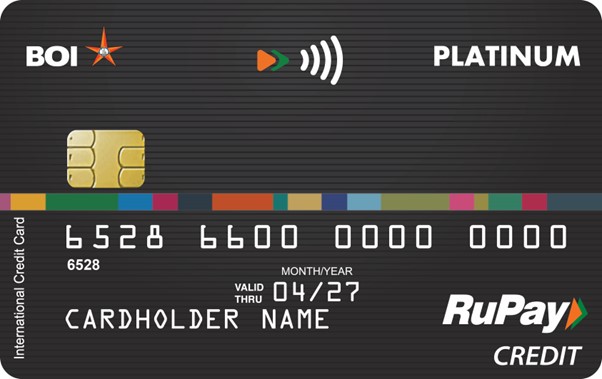
RuPay Platinum Credit Card
- Login to Mobile Banking App with your credentials
- Go to Manage Cards
- Under Credit Cards Section, select the Set Limit And Channels option
- You can enable all Domestic/International limits by choosing Enable All, or individually by enabling ATM/Tap and Pay/E-Commerce/Merchant Outlets
- You can also set limits by entering in the text box adjacent to channel, or using slider on the left.
- Click on Save Changes for successful limit updation
- Login to Internet Banking platform with your credentials
- Go to Pay option and select My Cards.
- Locate the card to be actioned under Credit Card tab.
- Choose a card and select Set Limits and Channels option
- You can enable all Domestic/International limits by choosing Enable All, or individually by enabling ATM/Tap and Pay/E-Commerce/Merchant Outlets
- You can also set limits by entering in the text box adjacent to channel, or using slider on the left.
- Click on Save Changes for successful limit updation
- Login to Mobile Banking App with your credentials
- Go to Manage Cards
- Under Credit Cards Section, select the Set Limit And Channels option
- You can enable all Domestic/International limits by choosing Enable All, or individually by enabling ATM/Tap and Pay/E-Commerce/Merchant Outlets
- You can also set limits by entering in the text box adjacent to channel, or using slider on the left.
- Click on Save Changes for successful limit updation
- Login to Internet Banking platform with your credentials
- Go to Pay option and select My Cards.
- Locate the card to be actioned under Credit Card tab.
- Choose a card and select Set Limits and Channels option
- You can enable all Domestic/International limits by choosing Enable All, or individually by enabling ATM/Tap and Pay/E-Commerce/Merchant Outlets
- You can also set limits by entering in the text box adjacent to channel, or using slider on the left.
- Click on Save Changes for successful limit updation