 France
 HongKong
 Japan
Japan Kenya
Kenya New Zealand
 Singapore
 USA
USA Tanzania
 UK
UK Uganda
 Vietnam
 Antwerp
 Dubai
Dubai IBU GIFT CITY
 Indonesia


Credit Cards
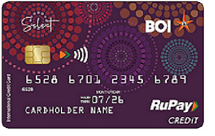
RUPAY SELECT
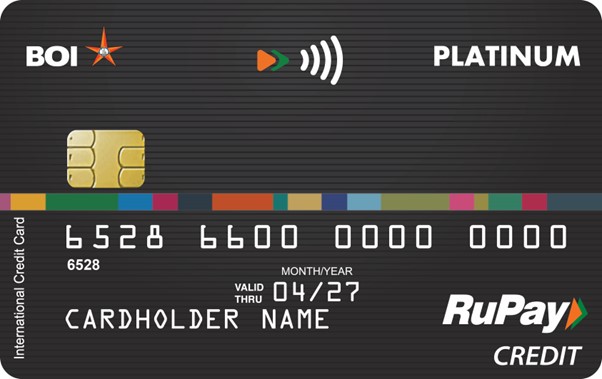
RuPay Platinum Credit Card

RUPAY STAR LAKSHMI

CELESTIA CREDIT CARD
VISA Gold International

VISA Platinum International

Master Platinum International
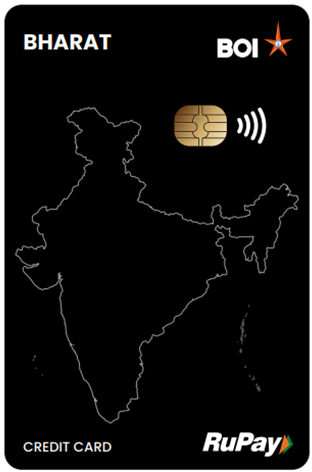
RuPay Bharat
Credit Cards
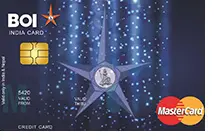
MASTER INDIA DOMESTIC
Warning: Making only the minimum payment every month would result in the repayment stretching over months/years with consequential compounded interest payment on your outstanding balance
Credit Cards
- In case of Branch billing card, system will recover card dues from the registered repayment/charge account of the customer on due date, thus customer needs to maintain sufficient balance in charge account.
- If recovery is failed from charge account then authorization of that credit card gets blocked and applicable interest/penalty will be applied. In such scenario free credit period is not available to the customer and interest is charged from the date of transactions.
- Customers can also opt for auto debit of Minimum Amount Due - 20% of their Credit Card bill for present and upcoming billing cycles by contacting <a href="mailto:[email protected]">[email protected]</a>. In such scenario, applicable interest is levied on remaining amount on the upcoming billing cycle(s).
- Card holder can pay the credit card dues through BOI Omni Neo App.
- Cardholder can navigate to My cards section-> Credit Cards section in app and pay the due amount from the app
- Card holder can pay the credit card dues through BOI Internet Banking.
- There is an option of “Credit card Payment” under Credit Card in Card services Tab.
- You can now pay your Credit Card bill on time through BBPS integrated payment apps. Please ensure to pay at least 3 working days before due date for effective limit restoration.
- In case of Branch billing card, system will recover card dues from the registered repayment/charge account of the customer on due date, thus customer needs to maintain sufficient balance in charge account.
- If recovery is failed from charge account then authorization of that credit card gets blocked and applicable interest/penalty will be applied. In such scenario free credit period is not available to the customer and interest is charged from the date of transactions.
- Customers can also opt for auto debit of Minimum Amount Due - 20% of their Credit Card bill for present and upcoming billing cycles by contacting [email protected]. In such scenario, applicable interest is levied on remaining amount on the upcoming billing cycle(s).
- Card holder can pay the credit card dues through BOI Omni Neo App.
- Cardholder can navigate to My cards section-> Credit Cards section in app and pay the due amount from the app
- Card holder can pay the credit card dues through BOI Internet Banking.
- There is an option of “Credit card Payment” under Credit Card in Card services Tab.
- You can now pay your Credit Card bill on time through BBPS integrated payment apps. Please ensure to pay at least 3 working days before due date for effective limit restoration.
Warning: Cardholders are advised to exercise due caution and refrain from making payments through modes other than those authorised by Bank of India.
Credit Cards
You can click on the Apply Now button above this section to apply Credit Card through Web. Alternatively, you can apply through your branch with duly completed and signed application form along with necessary income documents. Make sure your KYC documents are verified.
The criteria for issuing Credit Card are –
- It can be issued to any individual of Indian origin
- Any individual of Indian origin Resident / Non-Resident Indians/persons of foreign origin residing in India on employment.
- The CIBIL credit score should be acceptable to the Bank i.e. you should not have defaulted for payment of the dues to our Bank or any other Bank.
- You should have completed KYC formalities.
- You should be having a steady income which is to be verified from Income Tax returns / Salary Certificates.
- You should have a valid and active savings account with our Bank.
Minors are not eligible for Credit Cards.
Two types of billing are available -
- Branch billing card where the bill amount for use is debited by the bank to the charge account on the bill due date.
- Direct billing card that allows the cardholder to pay the bill for their card usage on or before the due date.
A corporate credit card is a credit card issued at the request of a Company/ Firm to their promoters/employees. It will not be in the name of the company. Name of the individual to whom the company wants the card to be issued, will be embossed on the card. Card usages will be debited to Company’s account.
For issuance of corporate card, you should submit the following: The Board resolution of the company having the following three points mentioned clearly (in case of Company):
- To whom it should be issued - with the name and designation Aggregate spending limit for corporate with break-up of limits for each card separately to be given on the card.
- Any number of cards can be issued as per the choice of the corporate, within overall spending limit.
- Undertaking to debit the company’s account towards the usages of the card so issued. (i.e. the charge account of the card is Company’s account and not that of the individual). The company should have earned net profit for last 2 financial years.
- Aggregate spending limit should be within 20% of Net profit of the company.
For firms (other than the company) Application should mention the following:
- To whom it should be issued - with the name and designation.
- The spending limit to be given on the card Undertaking to debit the Firm’s account towards the usages of the card so issued. (i.e. the charge account of the card is Firm’s account and not that of the individual).
The spending limit of a credit card is the limit to which the credit card can be used.
Yes, we issue Add-on Cards on Principal Cards
We issue up to 2 Add-on cards to a principal card.
Add-On cards can be issued to close relatives of the Principal card holder such as parents, spouse, major children, brother and sister. Verification of Add on Card Holder’s KYC compliance is to done as well. For Add-On card, the charge account will be that of the Principal card holder. The total limit of the Principal card and Add-on cards should not exceed the spending limit of the principal card holder.
Yes, you can request through Branch by raising a service request through CRMNext portal, or drop in an email with necessary details to [email protected] / [email protected]
For all cards, the billing cycle is from 15th of current month to 15th of next month. The bill shall be generated and dispatched on 16th of the month, instructing payment on or before 21 days from mentioned date. For example, card usage between 15th of May till 15th of June shall be billed on 16th of June, and payment has to be made on or before 6th of July.
Customers can opt to change their billing cycle, once in a lifetime, suiting their requirements. Please contact [email protected] for change of Credit Card Billing cycle.
Yes, you can earn and accumulate Rewardz points for up to one year on usage of eligible Credit Cards for POS and e-Com transactions, and eligible transactions through CC on UPI, and redeem exciting gifts
www.bankofindia.bank.in/star-rewards for further information on accrual and utilization of points on your Credit Card.
Active cards with customer induced transactions for the past year shall be automatically considered for renewal. Customers can opt out of renewal if required, by responding to the link provided in Credit Card Renewal Consent SMS sent by the Bank at the beginning of the month of card expiry.
Renewed cards are sent directly to the registered address.
Yes, please contact your Branch for the same.
- Maximum 51 days interest free credit period
- Revolving credit: Here, by availing this revolving credit facility the card holder need to pay only 10% of the bill amount on or before due date and he will be charged interest @1.70% per month only on the outstanding 90% balance.
- If the entire amount is overdue then he will be charged @2.5%p.m
- EMI facility: The card holder can convert his billing into E.M.I (up to maximum 36 E.M.I) provided the value of the transaction is Rs.5000 or more and the request is given to Card Products Department, through the Branch, with recommendations within 20 days of purchase.
- Cash withdrawals are excluded from EMI facility and only transactions for purchase of goods/services allowed for EMI.
- The card holder can withdraw cash from any branch of Bank of India as well as through any ATM.
The system will debit the renewal fees as applicable on the due date to your card account and it will appear on your statement. If you are exempted for this annual fee (Diamond Customer etc.) and system has applied these charges, contact the branch for reversal of charges. The branch will reverse the charges as per Bank guidelines.
In case of failed transactions at ATM/POS/e-Commerce merchants, please send an email with necessary transaction details to [email protected]
Visit www.bankofindia.bank.in/service-charges and navigate to Service charges on Digital Banking Products to view the latest service charges
Upcountry cheque collection – commission – as per latest Service Charges applicable
- Cheque Return Charges - as per the latest Service Charges applicable.
- PIN replacement - Per occasion Rs.50/-
(Service Tax – As applicable from time to time)
Yes, you can by using the Pin
Submit your request for increase in spending limit with income documents to your Branch. In case of Corporate Credit Cards, apart from the above mentioned documents, Board resolution to the effect is also essential.
PIN Set/Reset can be done through BOI Omni Neo Mobile Banking app/Internet Banking.
Internet Banking/Mobile Banking
Under Cards > Credit Cards > My Card Services, select Forgot PIN option under desired card. Enter verification OTP sent to registered mobile number, followed by 4 digit PIN to be set, for successful PIN generation.
In addition, customers can also approach branches for issuance of instaPINs for their Credit cards
Yes, SMS alerts are being sent immediately after every successful transaction to your registered mobile number.
If you do not get the SMS Alerts, it may be either your mobile is not registered at the Card Master or it has not been updated after change in mobile number. Immediately inform your Branch about your mobile number updation.
Immediately hotlist / block the card and file the charge back. Request for the charge back should be sent to HO-CPD through e-mail, giving complete details of the transaction like date, amount, card number etc.
Charge Back VISA Cards: [email protected]
Charge Back MasterCards: [email protected]
Register for your Card through Bank of India’s web site, in the following steps
- E-commerce and other channels can be activated and limits can be set through BOI Omni Neo Mobile Banking App under Manage cards -> My Card Services. Alternatively, channel limits can also be set through Internet Banking.
The Contact number/ E-mail ID for Customer Care / Hot-listing of Cards:
- Toll Free 24/7 Helpline: 1800 220 229
- Landline Number: 022 40919191
- Credit Cards queries :[email protected] / [email protected]
Assistant General Manager,
Bank of India,
Star House – 3, PNB-BOI Tower,
C-29, G-Block, Bandra – Kurla Complex,
Bandra (East), Mumbai – 400 051
For cases of Credit Card NPA/Write-off of Credit Card dues, cardholder can contact below:
Phone: 022-6917-9573


